
One mission-level security workspace
An engagement represents a full authorized red-team or pentest effort, keeping scope, targets, tasks, evidence, and outcomes together.
Inside DrowAI
DrowAI helps an operator run scoped security tasks with a guided agent, isolated Kali execution, structured evidence, and engagement-ready reporting in one workspace.
01 / The workspace
Organize the engagement, direct the agent, and follow every tool call. DrowAI brings the objective, execution, and results into the same working environment.
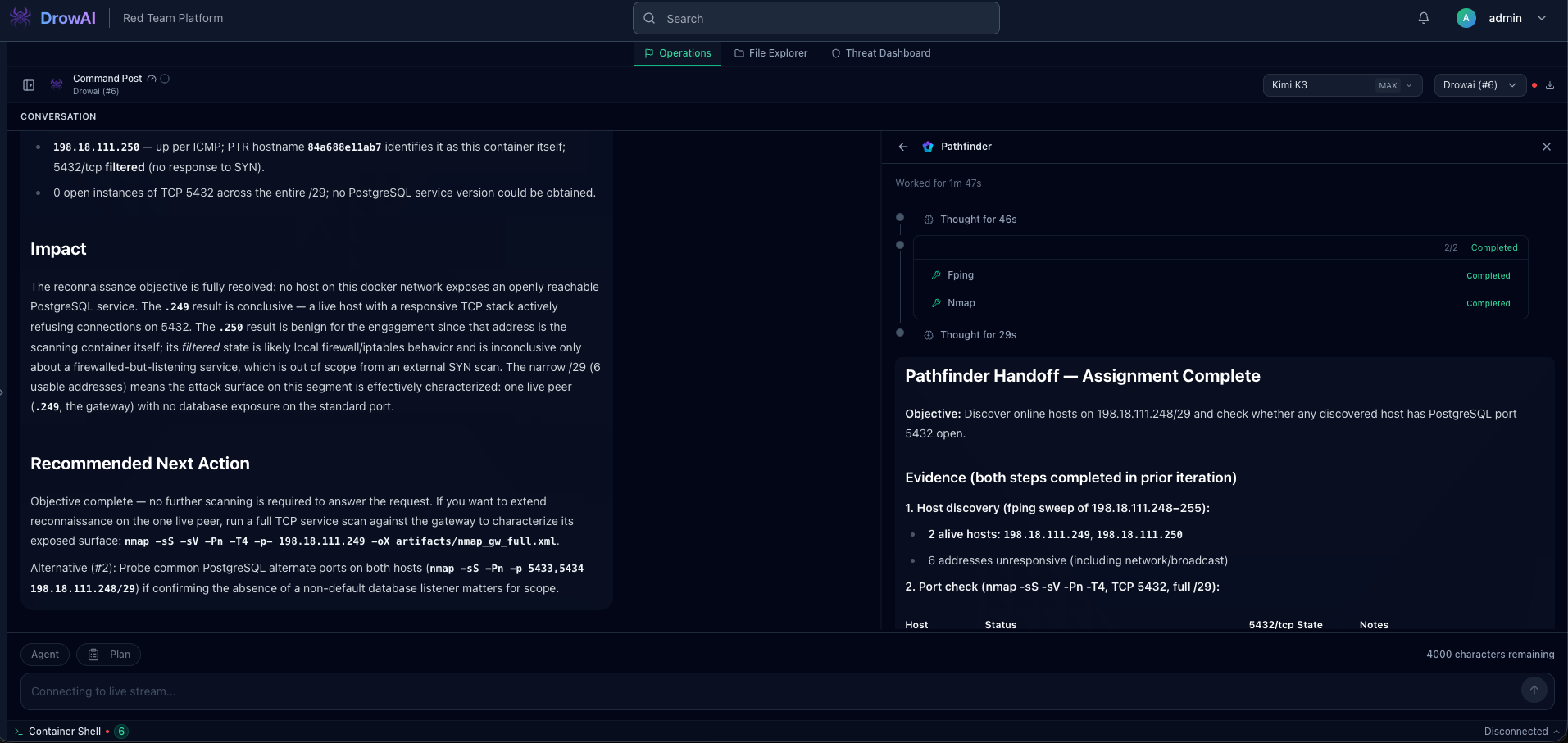
An engagement represents a full authorized red-team or pentest effort, keeping scope, targets, tasks, evidence, and outcomes together.
Tasks break a larger engagement into specific objectives, so the operator and agent can work through separate lines of investigation without losing context.
As the agent works, DrowAI turns collected activity into durable records for assets, services, evidence, findings, relationships, and reporting.
02 / Connected knowledge
Findings, assets, services, evidence, and network territory stay connected. Move from raw agent activity to a security picture you can inspect and defend.

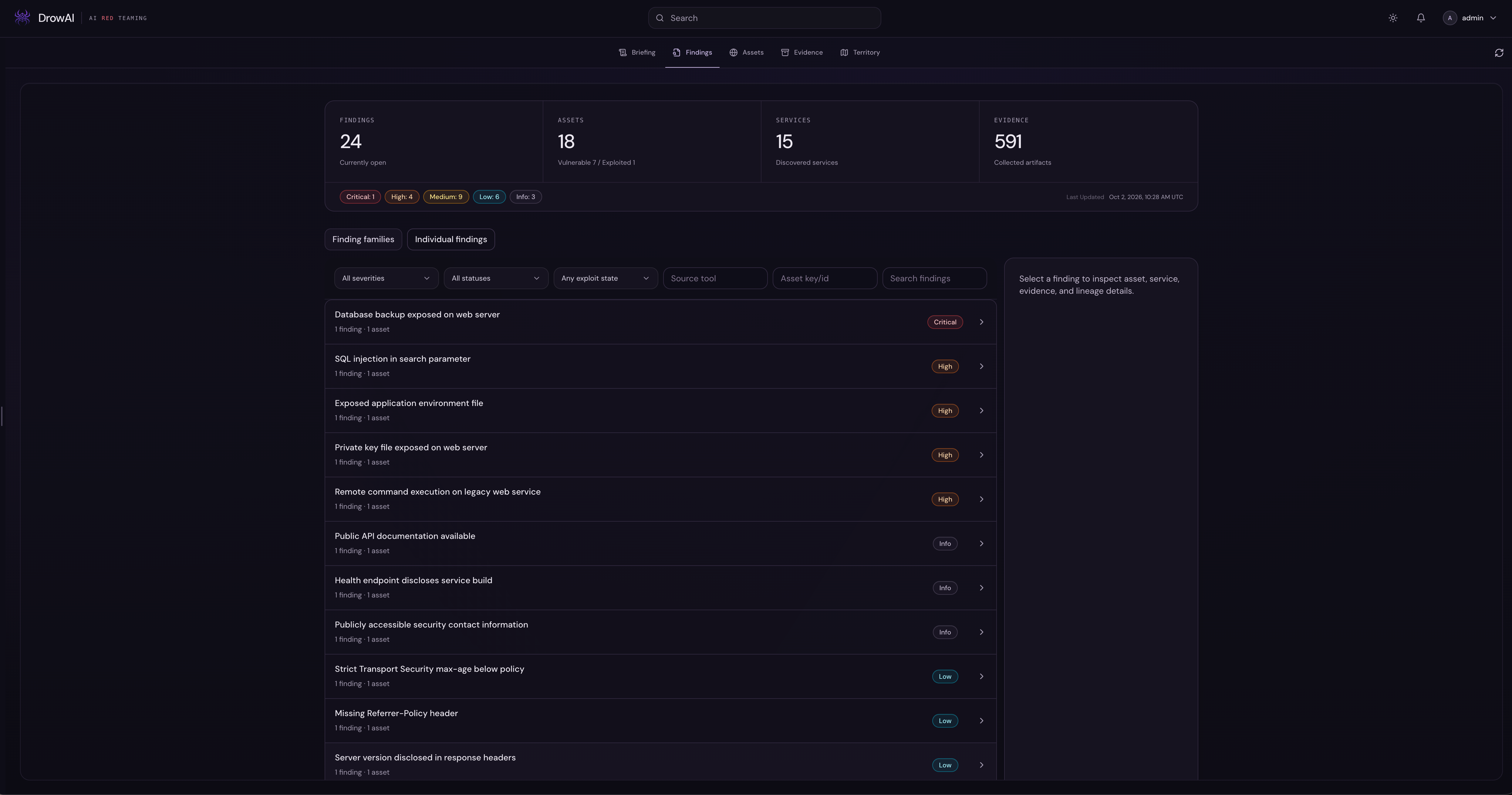
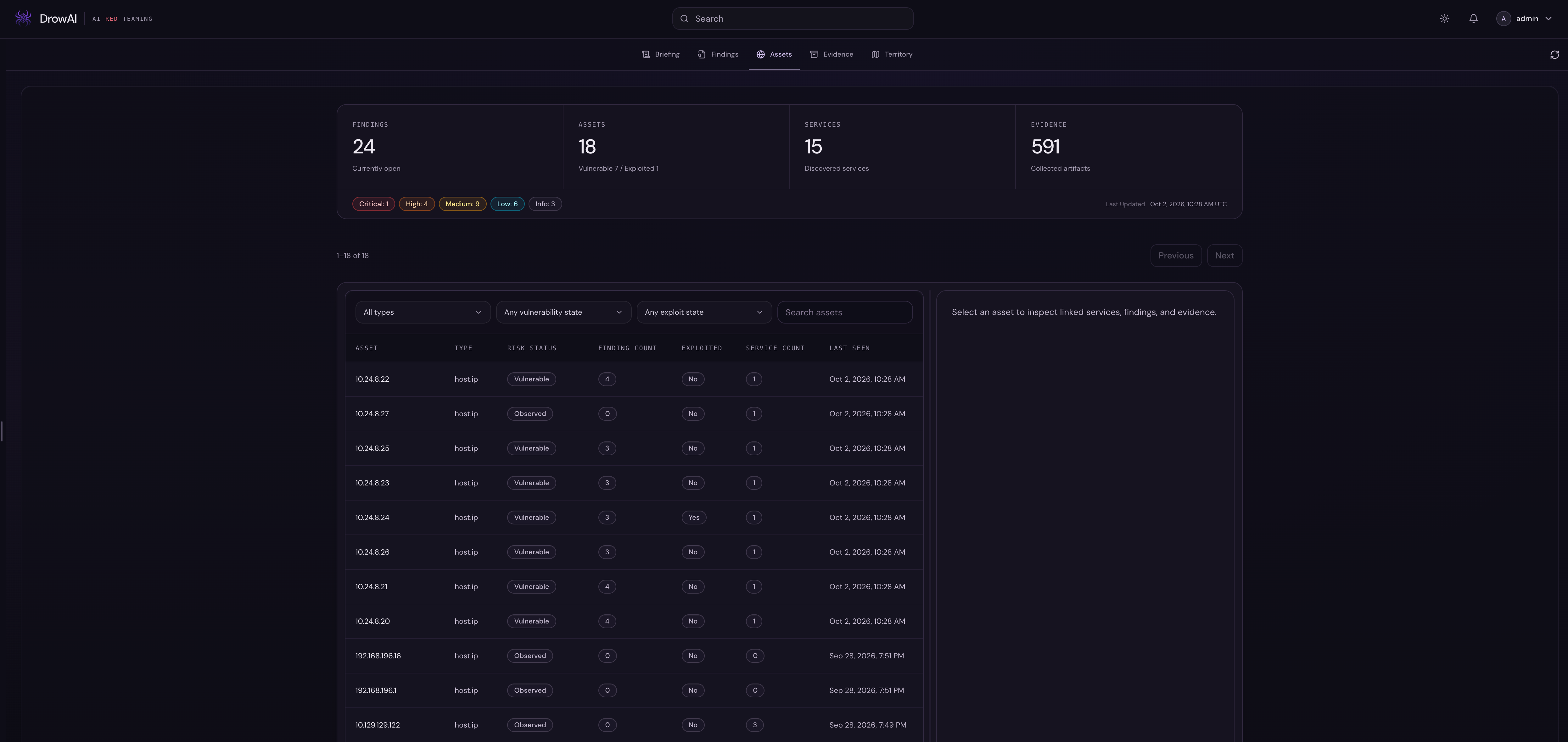
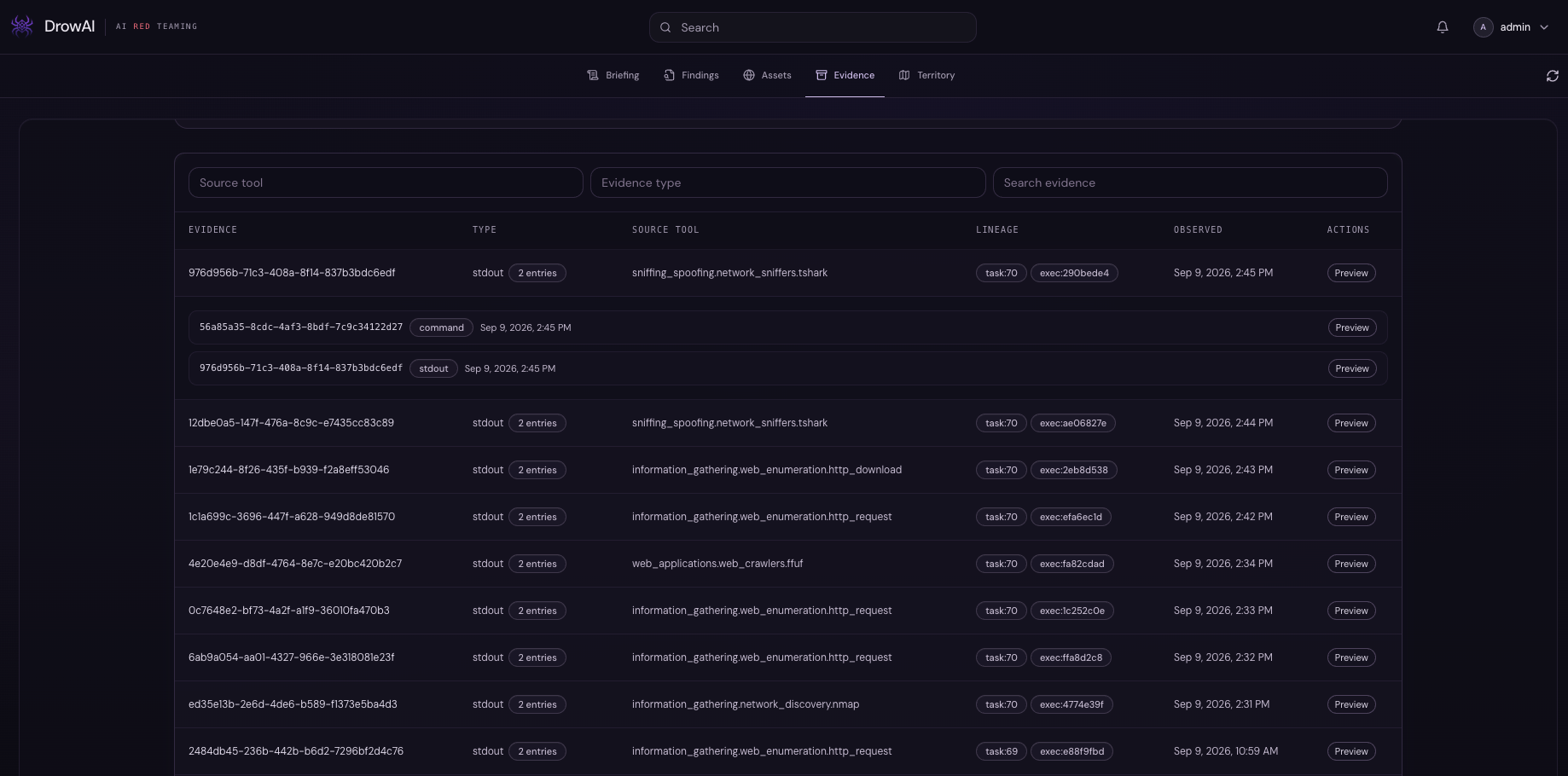
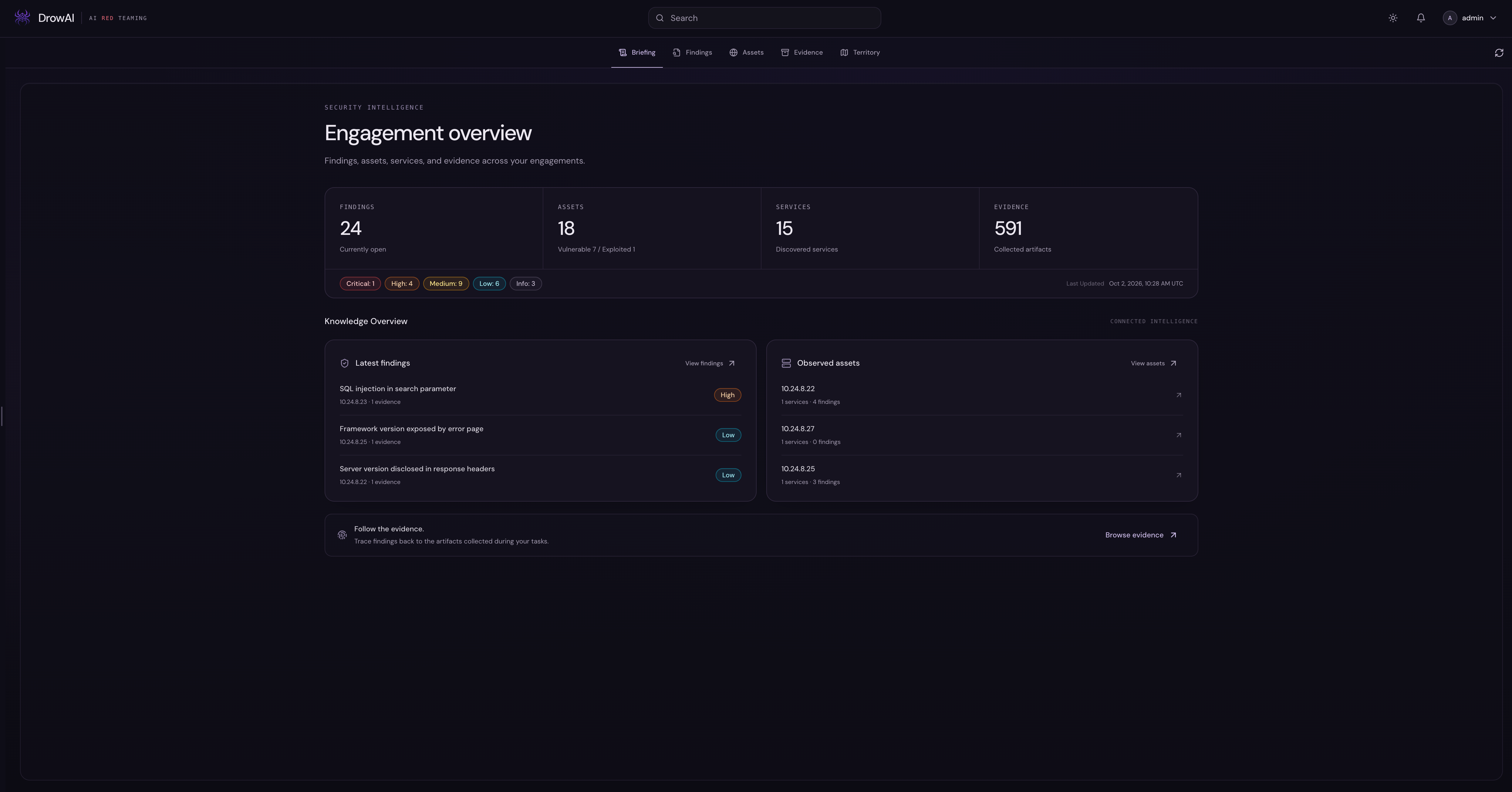
Useful results become persistent product state: mapped territory, affected assets, findings, services, and evidence can be reviewed together after the agent finishes.
03 / Specialized subagents
DrowAI delegates focused work to the right subagent while the primary agent keeps the objective, progress, and results visible. Go deep on an investigation or make one precise check.
Meet your specialists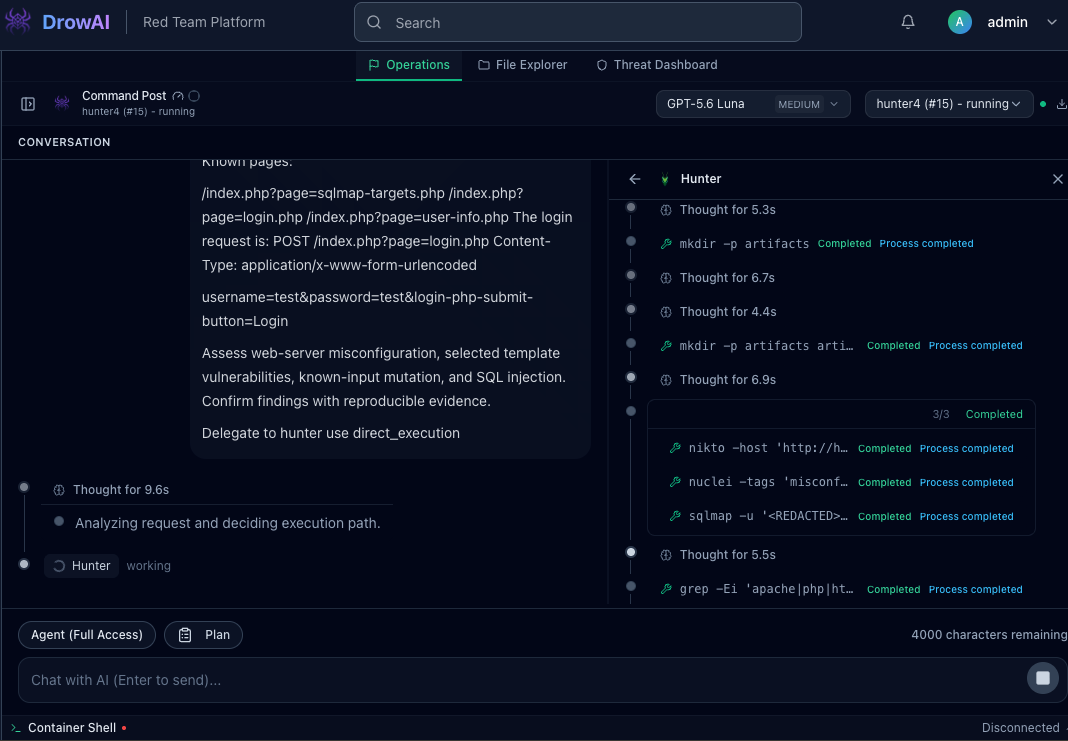
A specialist runs a multi-step assessment while its reasoning, tools, and status remain inspectable beside the main task.
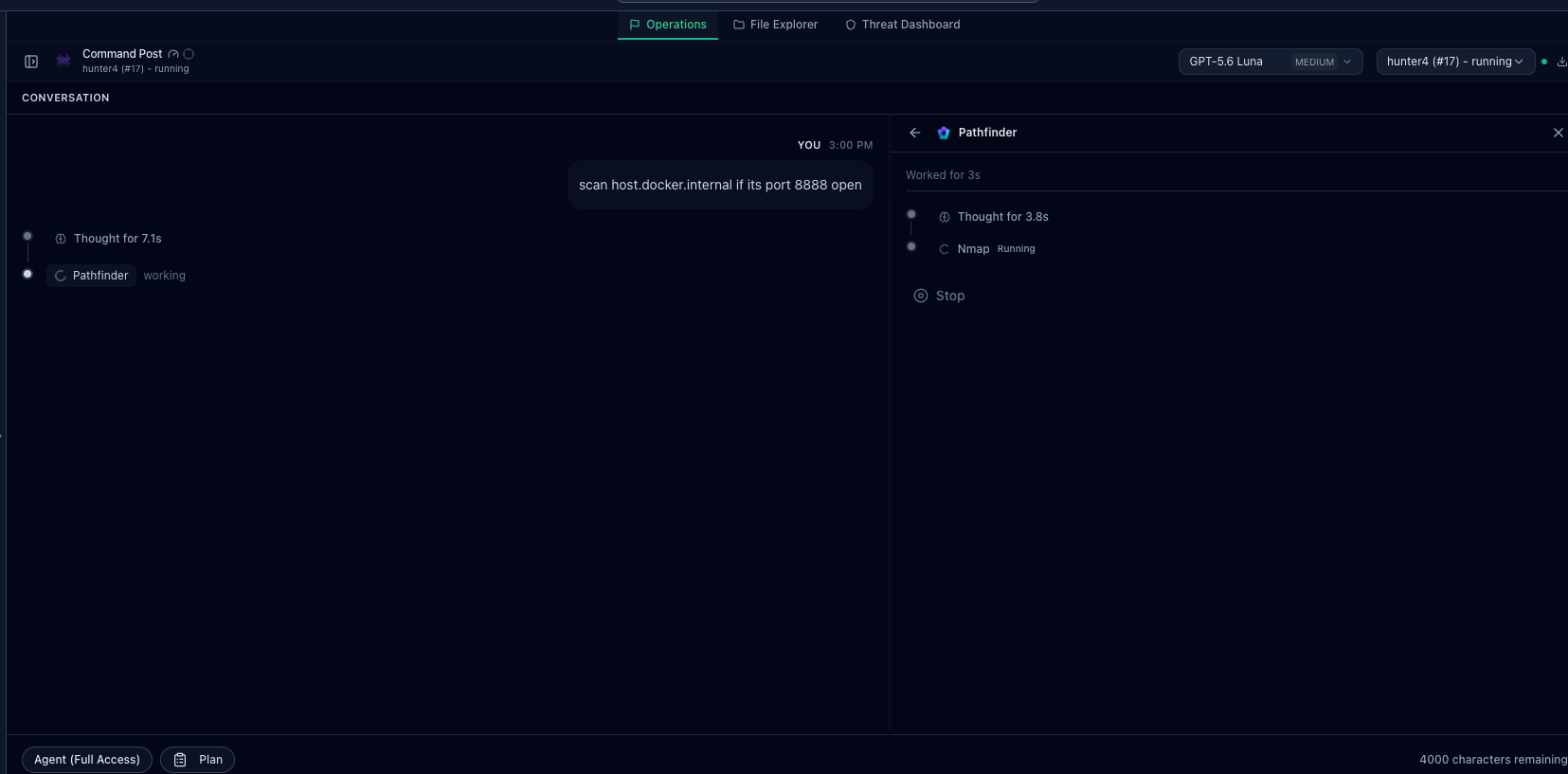
A focused subagent handles a narrow task and reports its progress without taking over the primary agent's workspace.
The agents
Focused expertise. A shared objective. Meet the agents that bring their own perspective to your investigation.

Every investigation starts with a way in.
Pathfinder makes the network legible. It discovers reachable hosts, identifies open ports, and enumerates services within the assigned scope, giving the investigation a clear place to begin.
What it brings back
Reachable hosts, open services, and the evidence behind them.

Find the connections. See the bigger picture.
Cartographer traces an organization’s external footprint. Starting with an assigned organization or root domain, it connects domains, DNS records, certificates, and addresses to reveal related assets.
What it brings back
Attributed external assets and candidates for deeper investigation.

Follow the threads of an application.
Webweaver explores the shape of an assigned web application. It probes HTTP endpoints, identifies technologies, crawls links, and discovers content to give the investigation a clearer view of the application.
What it brings back
Discovered endpoints, application technologies, and web reconnaissance evidence.

Look deeper into what a service reveals.
Delver examines services that have already been discovered. It enumerates assigned endpoints across protocols such as SMB, SNMP, SSH, TLS, and SMTP, turning service responses into useful investigation context.
What it brings back
Protocol-level observations and evidence from the assigned services.

Turn a suspicion into a finding.
Hunter assesses already-mapped web applications for vulnerabilities. It examines assigned endpoints and inputs, checks for misconfigurations, and gathers the evidence needed to support a finding within the task’s scope.
What it brings back
Web vulnerability findings supported by concise, reproducible evidence.

Understand the impact behind a finding.
Intruder validates the impact of an assigned vulnerability through a bounded, authorized exploitation objective. Starting from existing evidence, it gathers the minimum proof needed to demonstrate the issue’s impact.
What it brings back
Reproducible proof of the demonstrated impact within the authorized scope.

Advance the foothold. Keep every step accountable.
Vanguard takes over after a foothold is established. It evaluates bounded paths for local or identity privilege escalation, lateral movement, and temporary network pivots while preserving the session, evidence, and cleanup context.
What it brings back
A verified change in access or reachability, with evidence, side effects, and cleanup recorded.

Put authentication strength to the test.
Locksmith evaluates credential strength in one assigned mode: offline assessment of supplied hashes or encrypted artifacts, or bounded online authentication testing. It returns evidence with sensitive results redacted.
What it brings back
Evidence-backed credential assessment results with sensitive material redacted.
Interactive execution
DrowAI can drive Metasploit through msfconsole to validate an exploitable path, establish an interactive reverse shell, and navigate the remote host while every action remains visible to the operator.
Isolated environment
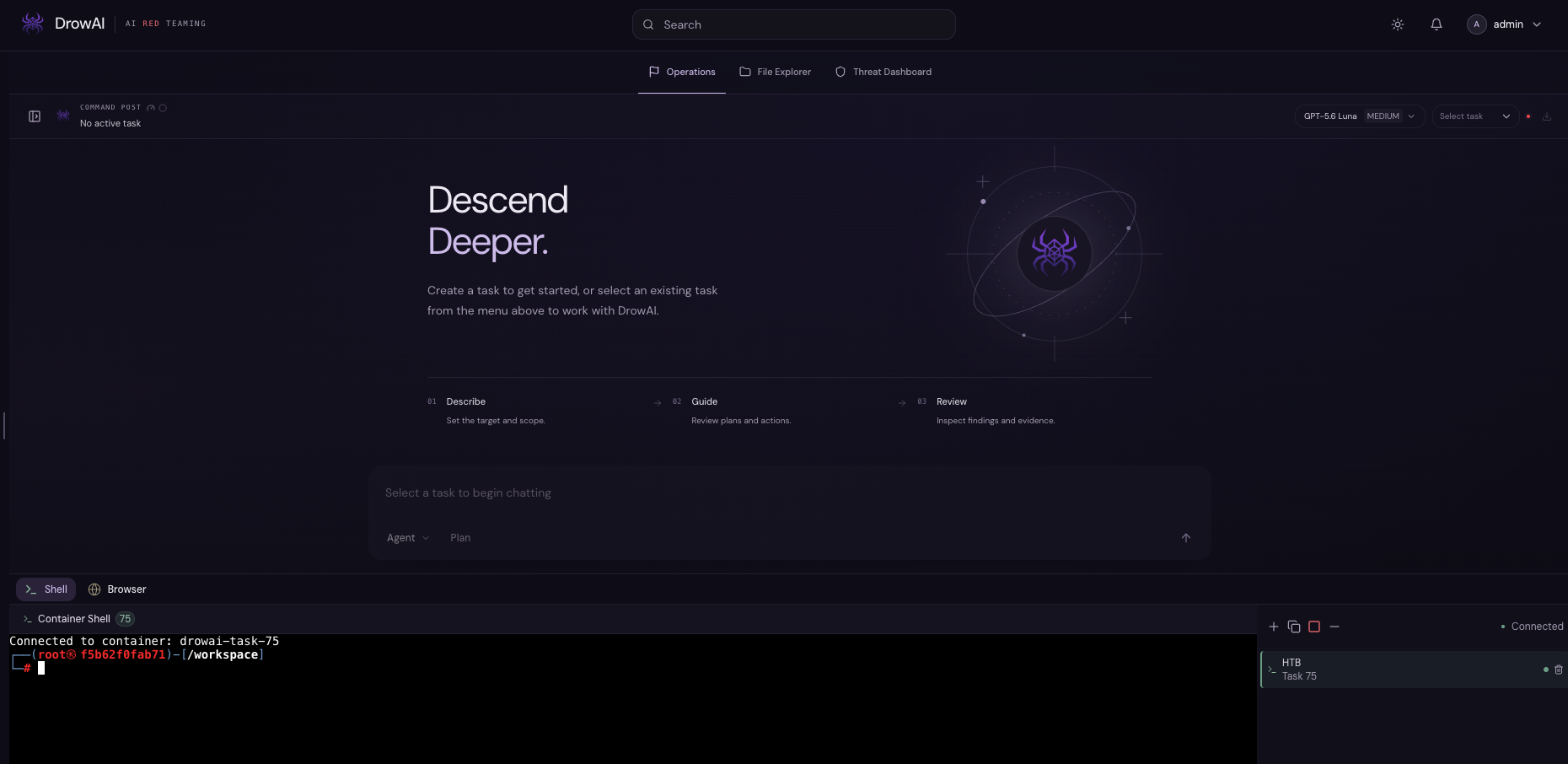
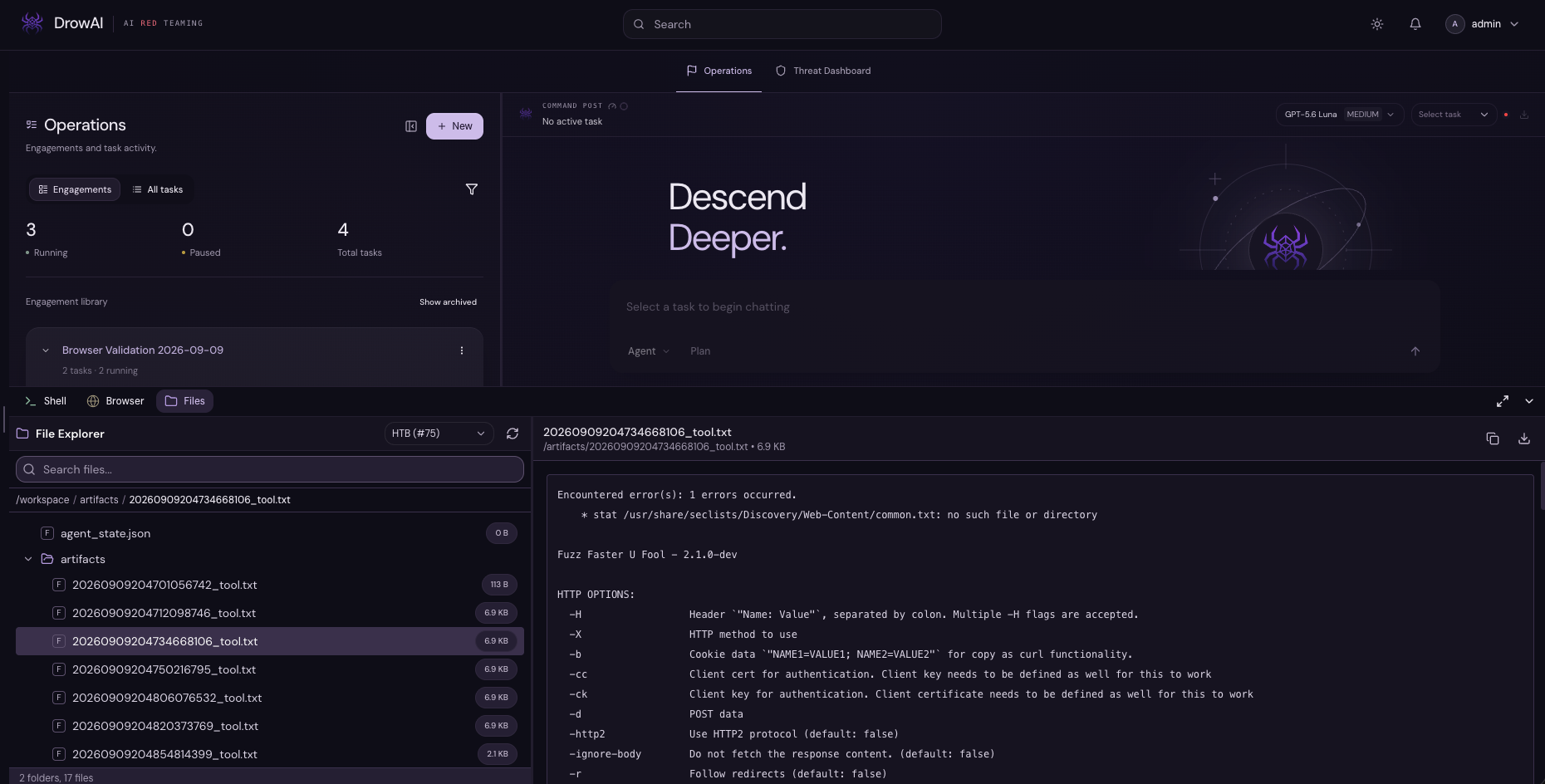
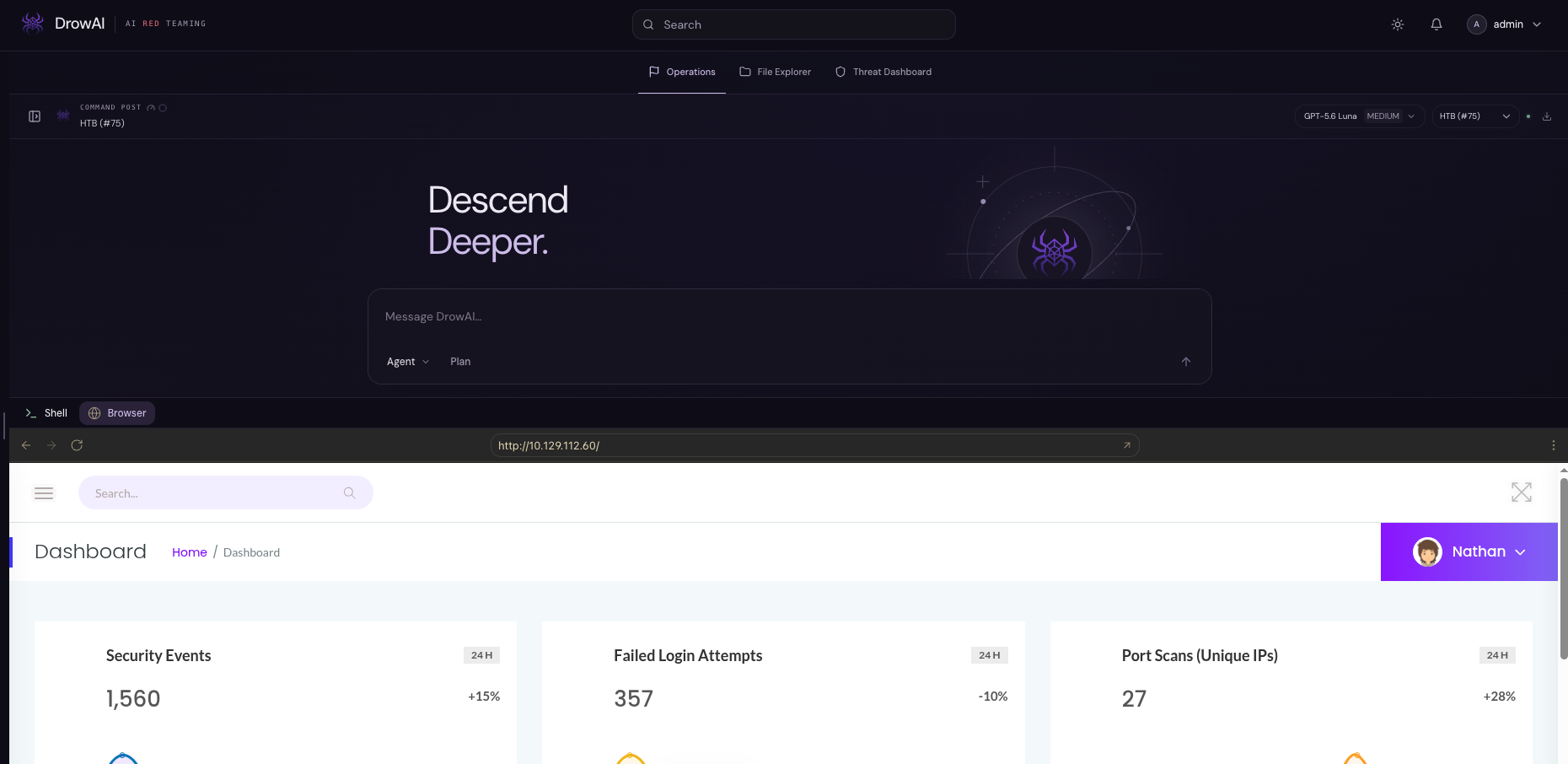
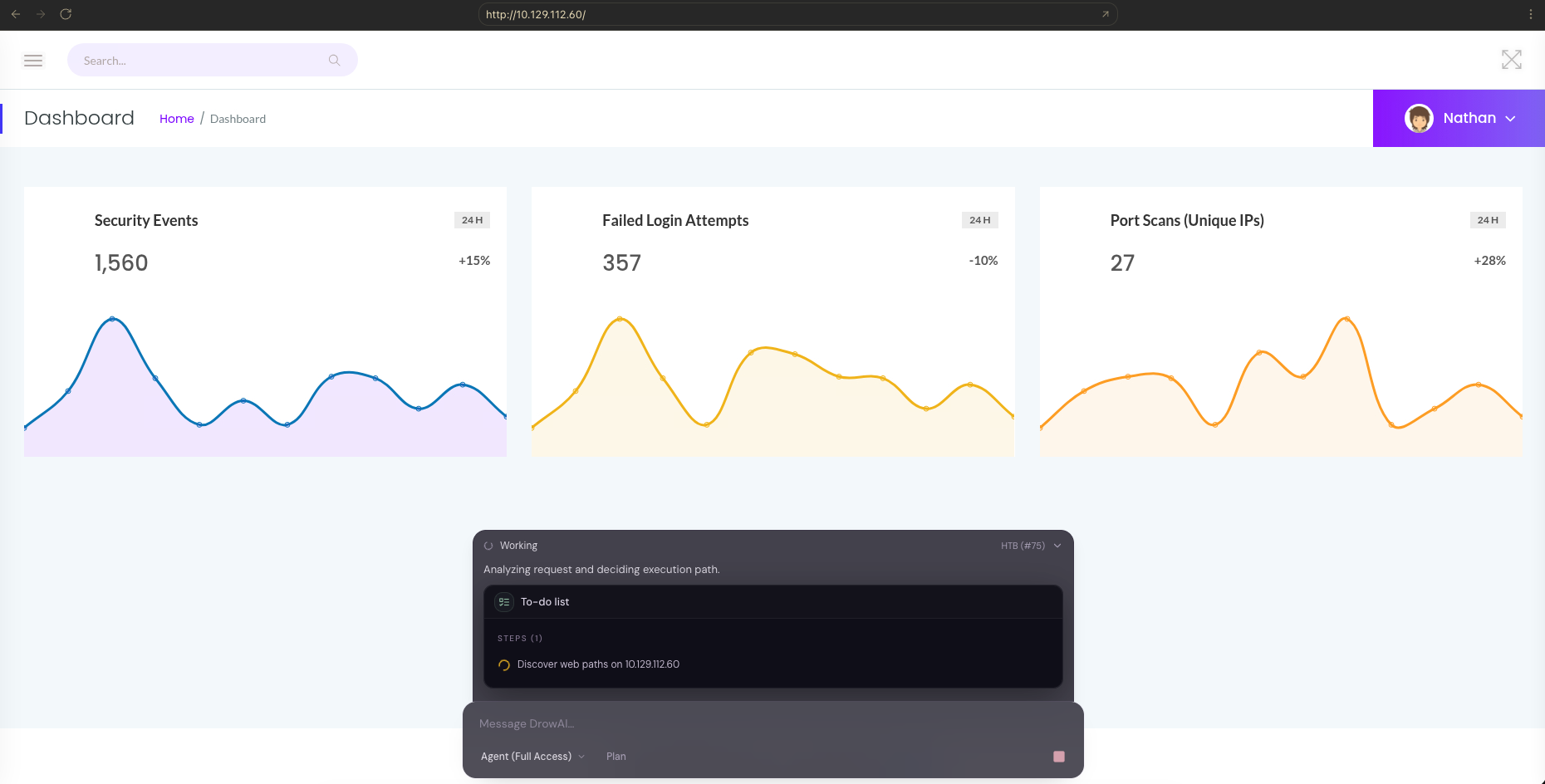
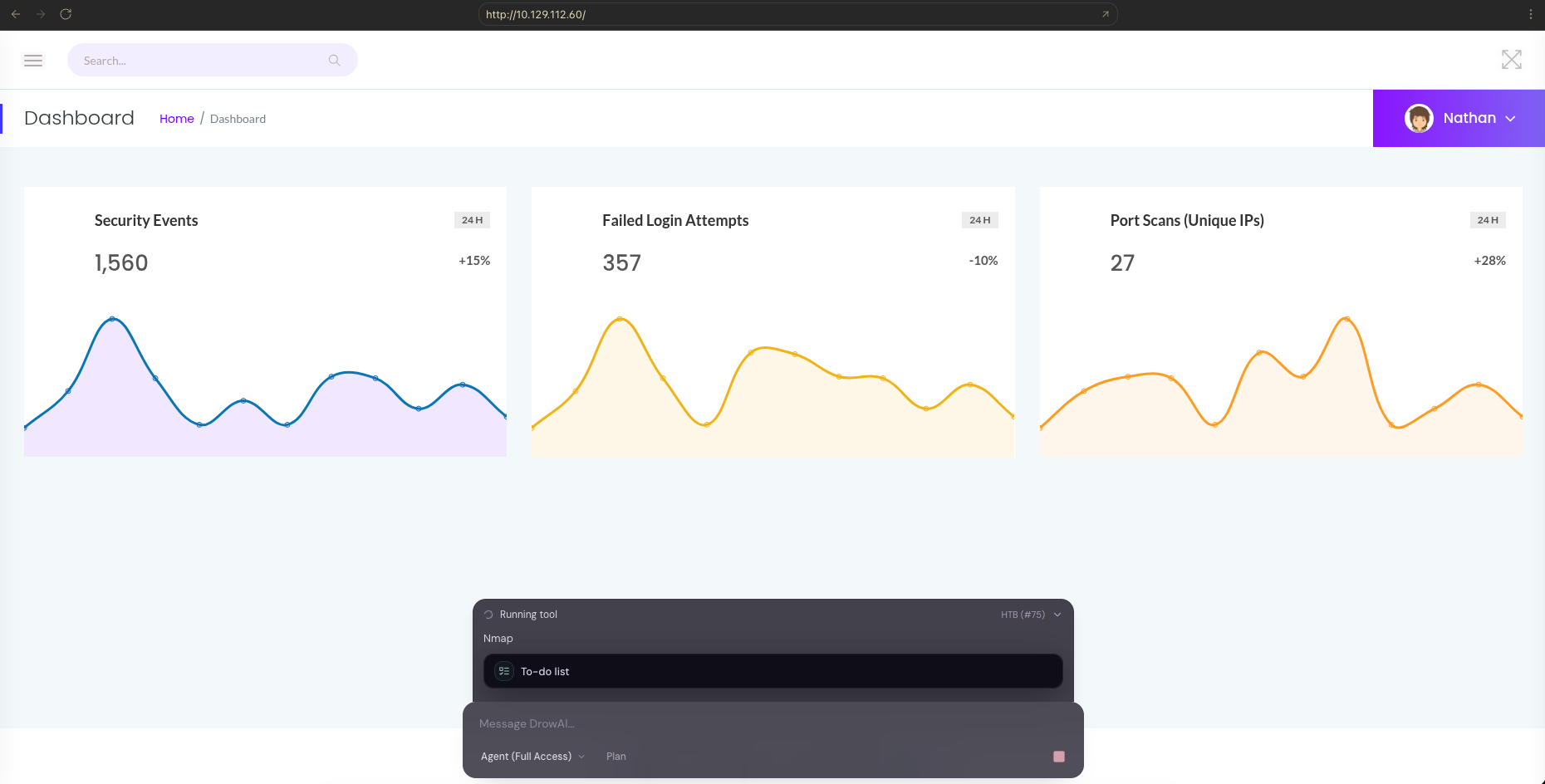
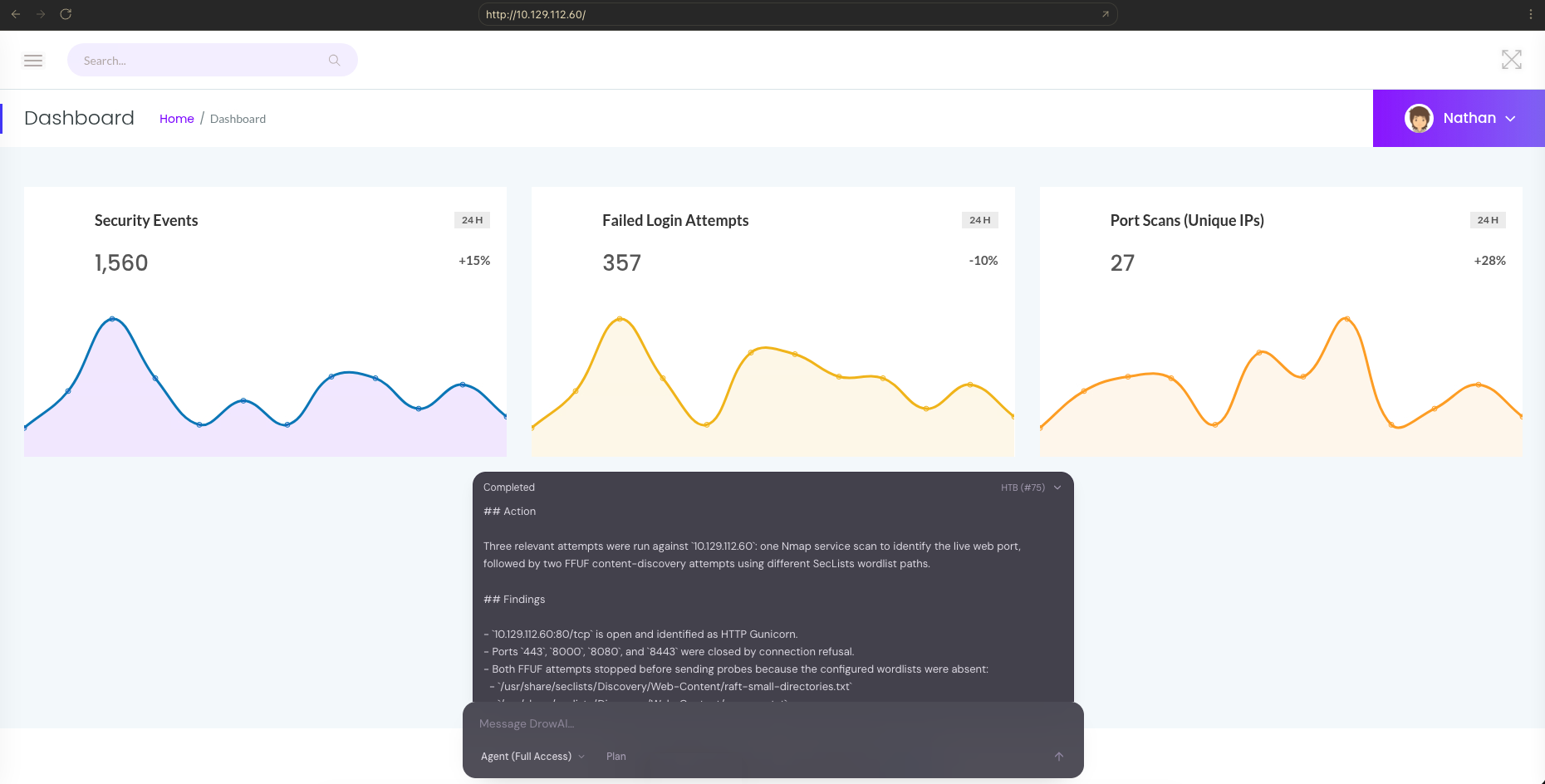
Work in the task's isolated Kali environment through a connected shell and browser. Expand the browser to full size while keeping agent chat available. Send instructions, follow live tool activity, and review results from the floating conversation panel.
05 / A complete workflow
A guided loop connects the operator's objective to execution, evidence, and report-ready knowledge.
See the full walkthroughScope, targets, and rules.
A focused goal to pursue.
Plans, reasons, and guides.
Isolated tool execution.
Linked assets and evidence.
Report-ready findings.
Human approval stays close to the agent's reasoning and execution.
Commands, files, and task artifacts stay inside an isolated Kali container.
Linked assets, findings, and evidence provide the foundation for the report.
Agent capabilities
Specialized tools make security workflows repeatable. Full shell access lets the agent go further with commands available inside its isolated task environment.
Explore the documentationRun any command available inside the isolated task environment, compose scripts and pipelines, and use task-specific utilities beyond the structured tool catalog.
Read, search, create, edit, organize, and inspect files and directories while keeping task artifacts inside the controlled workspace.
Use structured discovery and scanning workflows to identify reachable hosts, open services, and relevant network relationships.
Make HTTP requests, inspect responses, retrieve web content, and discover application paths through repeatable agent-facing tools.
Search, inspect, and execute supported modules and validation steps within the engagement's authorized scope.
Use structured SSH and FTP workflows to validate supplied access, inspect remote directories, and retrieve task-relevant artifacts.
Inspect packet captures and protocol activity to surface relevant connections, behaviors, and evidence for the task.
Put it into practice