
You’re reading documentation for DrowAI 0.1.0. View the latest version
Reporting
0.1.0Usage workspace
A visual guide to the DrowAI Usage tab for task-scoped LLM usage, cache behavior, and cost review.
The Usage tab shows task-scoped LLM usage. It helps operators review token volume, cost, cache behavior, timeline, group breakdowns, and per-call records for a selected task.
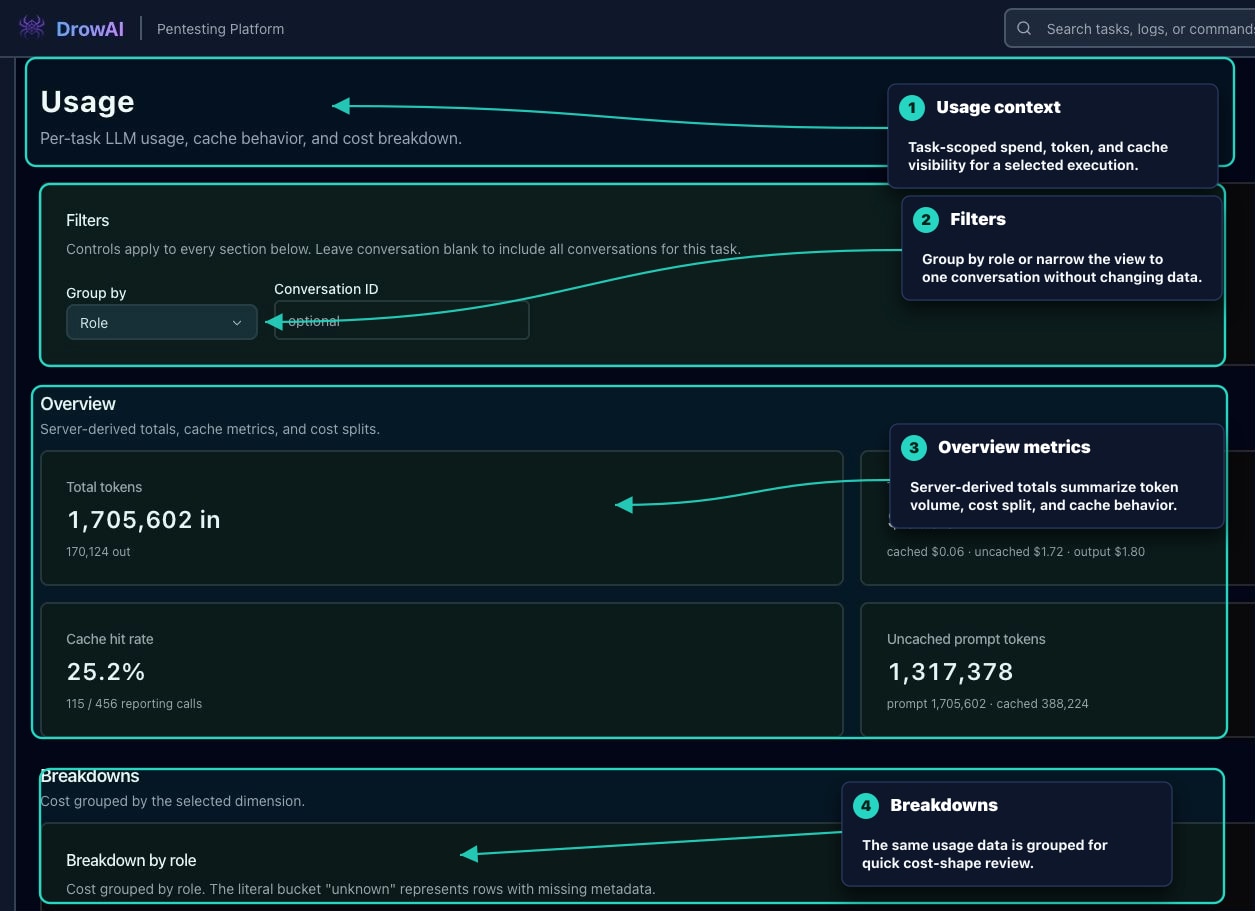
Primary regions
- The task selector chooses which task’s usage is displayed.
- Usage context explains that all usage data is scoped to the selected task.
- Filters change grouping by role, node, branch, provider, model, or API surface.
- The optional conversation ID filter narrows the view to a single conversation.
- Overview metrics summarize server-derived totals, cost splits, cache metrics, and token volume.
- Breakdowns show cost grouped by the selected dimension.
- Timeline shows chronological cumulative cost per model call.
- Records show paginated per-call usage rows.
Records
The Records section gives a lower-level audit trail for the same task. It is useful when a user needs to inspect individual model calls instead of only working from aggregate metrics.
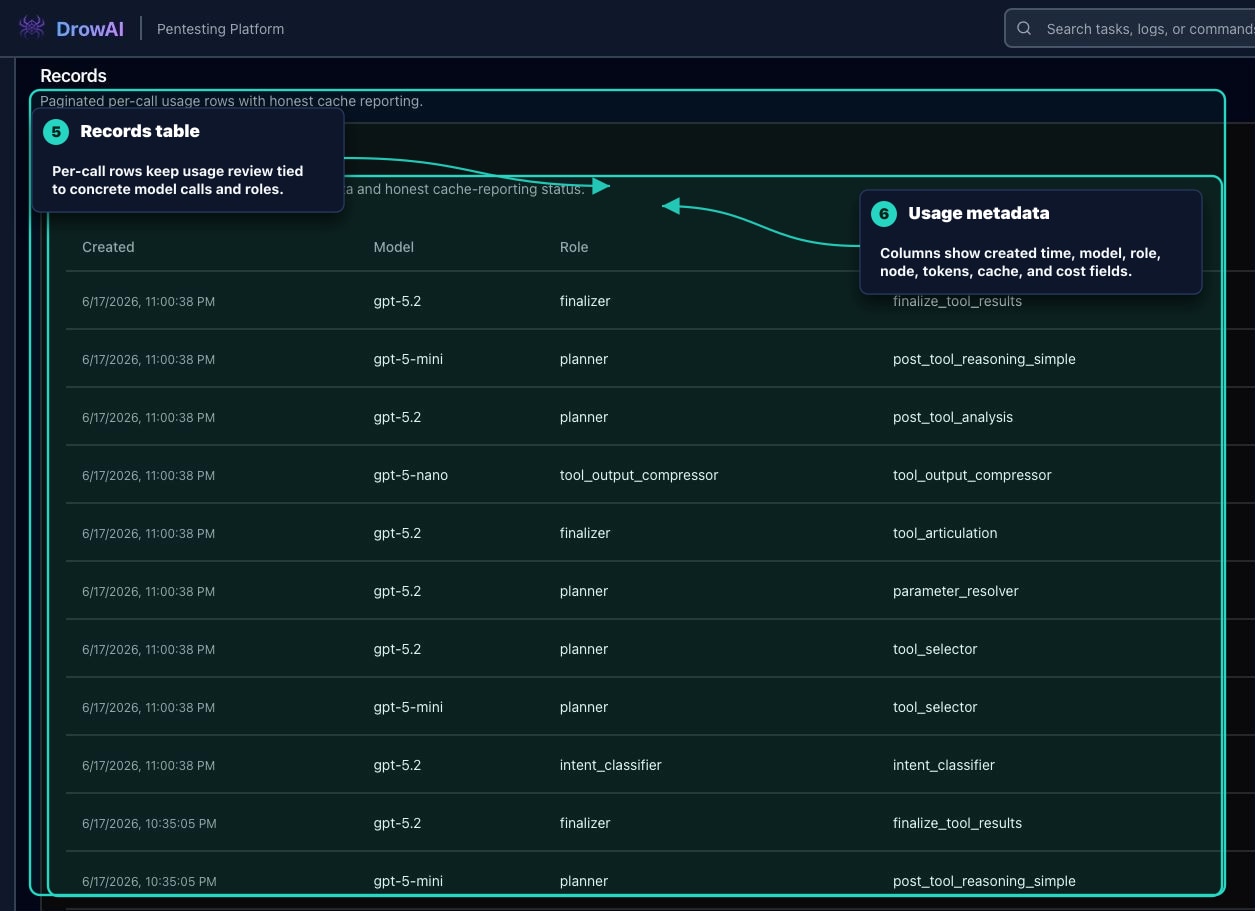
Review guidance
Use Usage when a task has unusual cost, unexpectedly high token volume, or a cache pattern that needs explanation. The page is not a finding system by itself; it is supporting context for task review, reporting quality, and operational transparency.